Getting Started with CEMA Warehouse
This guide will help you get started with accessing, exploring, and using the datasets available in our centralized repository.
Getting Access
Step 1 : Register
- Go to the CEMA Warehouse homepage and click Login at the top right corner.
- New members will have to click the sign in button to Register.
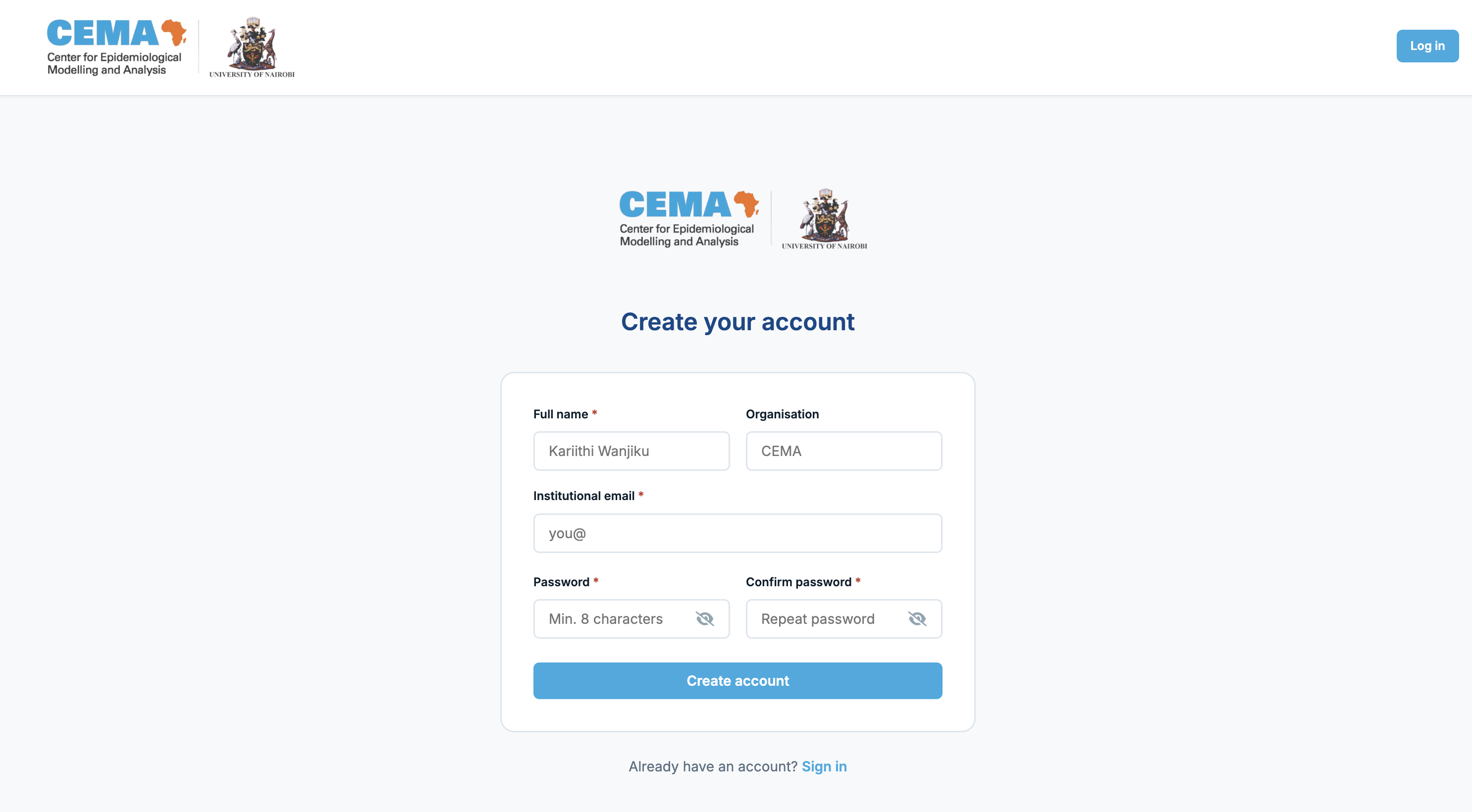
- Fill in your full name, organisation (e.g. CEMA), and your institutional email.
- Choose a password (at least 8 characters).
- Click Create account.
You will see a confirmation screen telling you your account is pending approval.
Step 2 : Wait for approval
An administrator will review your registration. This usually happens within one working day.
Tip: To speed things up, send a quick email to anne.kariithi@cema.africa to let the team know you've registered.
Step 3 : Log in
Once approved, go back to the warehouse and click Log in. Enter your email and password.
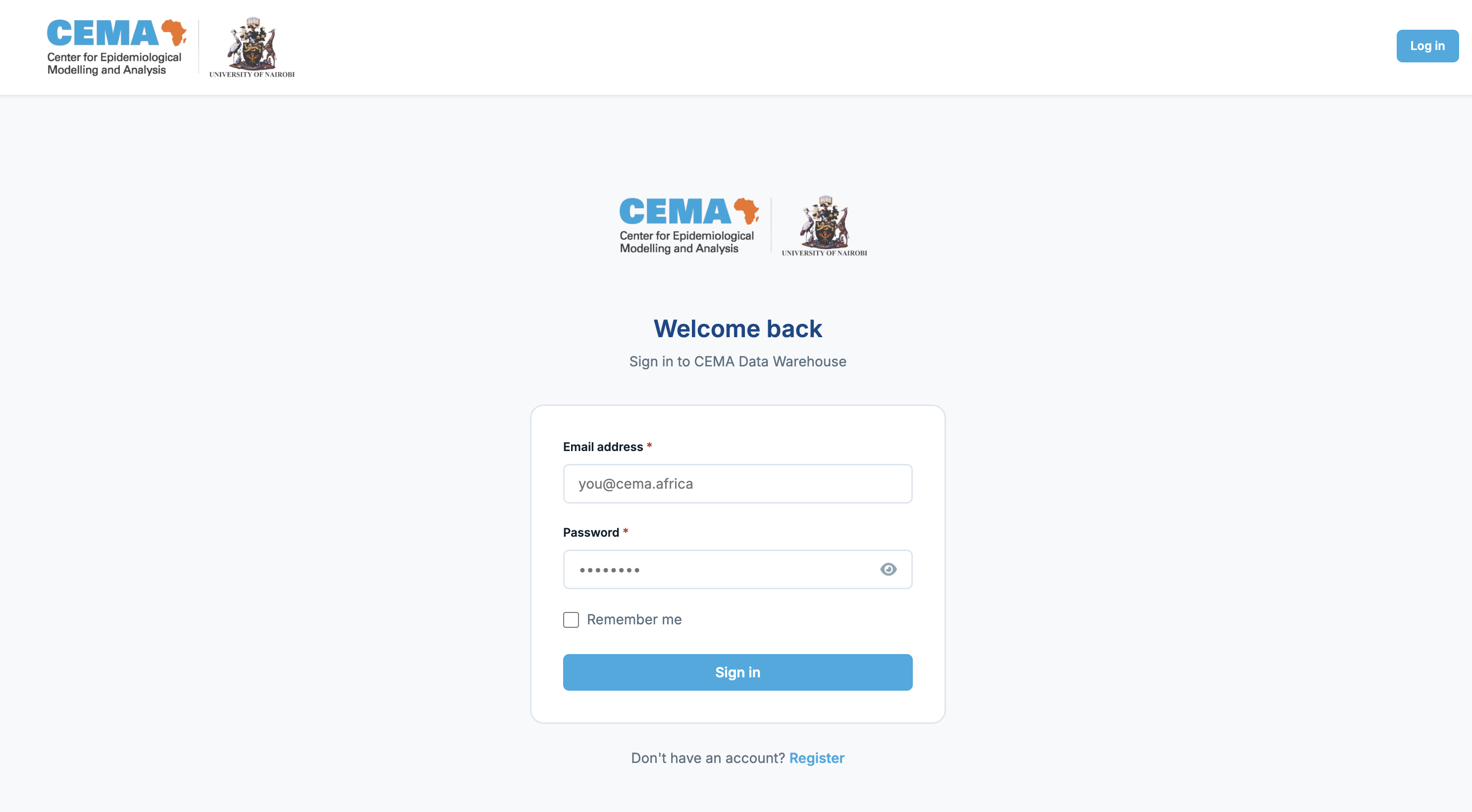
Once logged in, you'll be redirected to the home page.
3. Navigating the Warehouse
Once logged in, the navigation bar at the top of every page gives you quick access to:
| Menu item | What it does |
|---|---|
| CEMA logo | Takes you back to the home page |
| Search bar | Search any dataset by name, keyword, or description |
| Browse Data | Open the full dataset catalogue |
| GIS | Browse maps and spatial datasets (shapefiles, rasters) |
| Upload | Add a new dataset to the warehouse |
| API | View documentation for programmatic data access |
| Admin | (Admins only) Manage users, datasets, and categories |
| Your name | Go to your profile page |
| Log out | Sign out securely |
Keyboard shortcut: Press Ctrl+K (or Cmd+K on Mac) anywhere on the site to jump straight to the search bar.
4. Finding Datasets
Using the search bar
Type any word related to what you are looking for - a disease name, a region, a year, or a topic. Results update as you search.
Examples of good searches:
- STH prevalence
- maternal mortality subcounty
- Kenya census
- animal surveillance 2022
Browsing by category
On the Browse Data page, the left sidebar lists all categories. Click a category to filter the list. If there are subcategories, they will appear below the parent category when you click it.
Current top-level categories include:
- Neglected Tropical Diseases (NTD)
- Health Systems
- Health Status
- Demography
- Animal Surveillance
- Veterinary Services
- Disease Burden
- DHS (Demographic and Health Surveys)
- Finance
- GIS / Spatial
Filtering by tag
Within a category, you may see coloured pill buttons (e.g. "STH", "Taeniasis", "Schistosomiasis"). Click any pill to further narrow results to datasets tagged with that label.
5. Understanding a Dataset Page
When you click on a dataset, you will see its detail page. Here is what each part means:
Header area
- Category badge — the category this dataset belongs to (e.g. "Neglected Tropical Diseases › STH")
- Version badge — which version of the data you are viewing (e.g. "v2.0")
- Title and description — what the dataset is and what it contains
- Metadata strip — source organisation, last updated date, number of rows, version number, and data steward name
Tabs
| Tab | What you will find |
|---|---|
| Data Preview | A live preview of the first 50 rows. Scroll right to see all columns. |
| Schema | A list of every column, its data type, and a sample value. Useful for understanding the structure before downloading. |
| Provenance | Where the data came from, how it was processed, and who is responsible for it. |
| Version History | (Admins only) A log of every version of this dataset. |
Right sidebar
- Download buttons — download the data as CSV, Excel, or Parquet
- API Access — code snippets to access the data from Python, R, or the command line
- Data Steward — the person responsible for this dataset, with a contact link
Next Steps
- Data Contributors: See the Uploaders Guide to contribute data
- Reseachers and developers: Check out our API Reference for programmatic access
- Questions?: Visit our FAQ section
Support
| Issue | Contact |
|---|---|
| Account registration / approval | anne.kariithi@cema.africa |
| Cannot find a specific dataset | anne.kariithi@cema.africa |
| Data quality concerns | Contact the Data Steward listed on the dataset page |
| Technical bugs or errors | anne.kariithi@cema.africa |
| Feature requests | anne.kariithi@cema.africa |
Need help? Contact me or consult the documentation sections for detailed guidance on specific tasks.
CHEERS!