Geospatial Data Uploads
Geospatial data allows researchers to analyze health information with a location component- from mapping disease outbreak to understanding healthcare access across different regions. The CEMA warehouse uspports various geospatial data formarts to help ypu visualize and analyze location-based health data across Kenya.
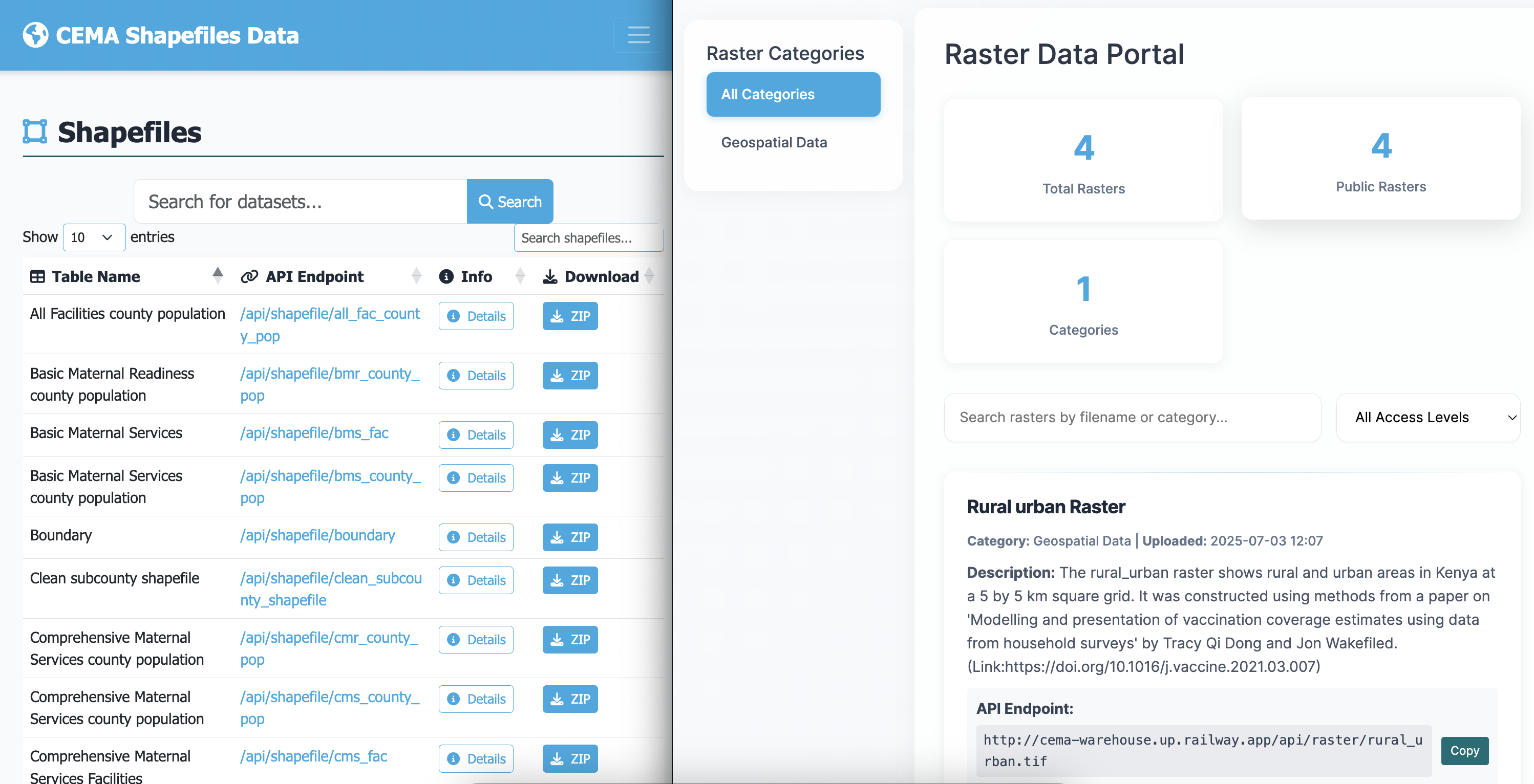
What you can upload
Vector Data (Shapefiles)
- Health facility locations - hospitals, clinics, community health units
- Administrative boundaries - counties, wards, health zones
- Disease outbreak areas - affected regions during epidemics
- Transportation networks - roads affecting healthcare access
Raster Data (Grid/Image Data)
- Population density maps - showing where people live
- Environmental data - rainfall, temperature, elevation
- Disease risk maps - malaria risk zones, habitat suitability maps, pollution levels
- Land use patterns - urban/rural classification
Shapefile Upload
Shapefiles are the most common format for geospatial data. Think of them like a digital map that contains both the shapes (boundaries, points) and information about those shapes (names, statistics).
📁 Required Files:
  ├── dataset.shp    (main shapefile)
  ├── dataset.dbf    (attribute database)
  ├── dataset.shx    (shape index)
  └── dataset.prj    (projection info - recommended)
Best Practices:
- Zip all related files together
- Use consistent naming conventions
- Include projection information (.prj file)
- Document coordinate system used
Raster Data Upload
Raster data is like a digital photograph of the earth where each pixel conatins information ( like population count or rainfall ammount)
- Ensure proper georeferencing
- Include metadata about resolution and coordinate system and what the data represents
- Compress large files when possible - to reduce upload times over the server
- For multi-band raster, upload it as a zipped file
- Document data units and scaling factors
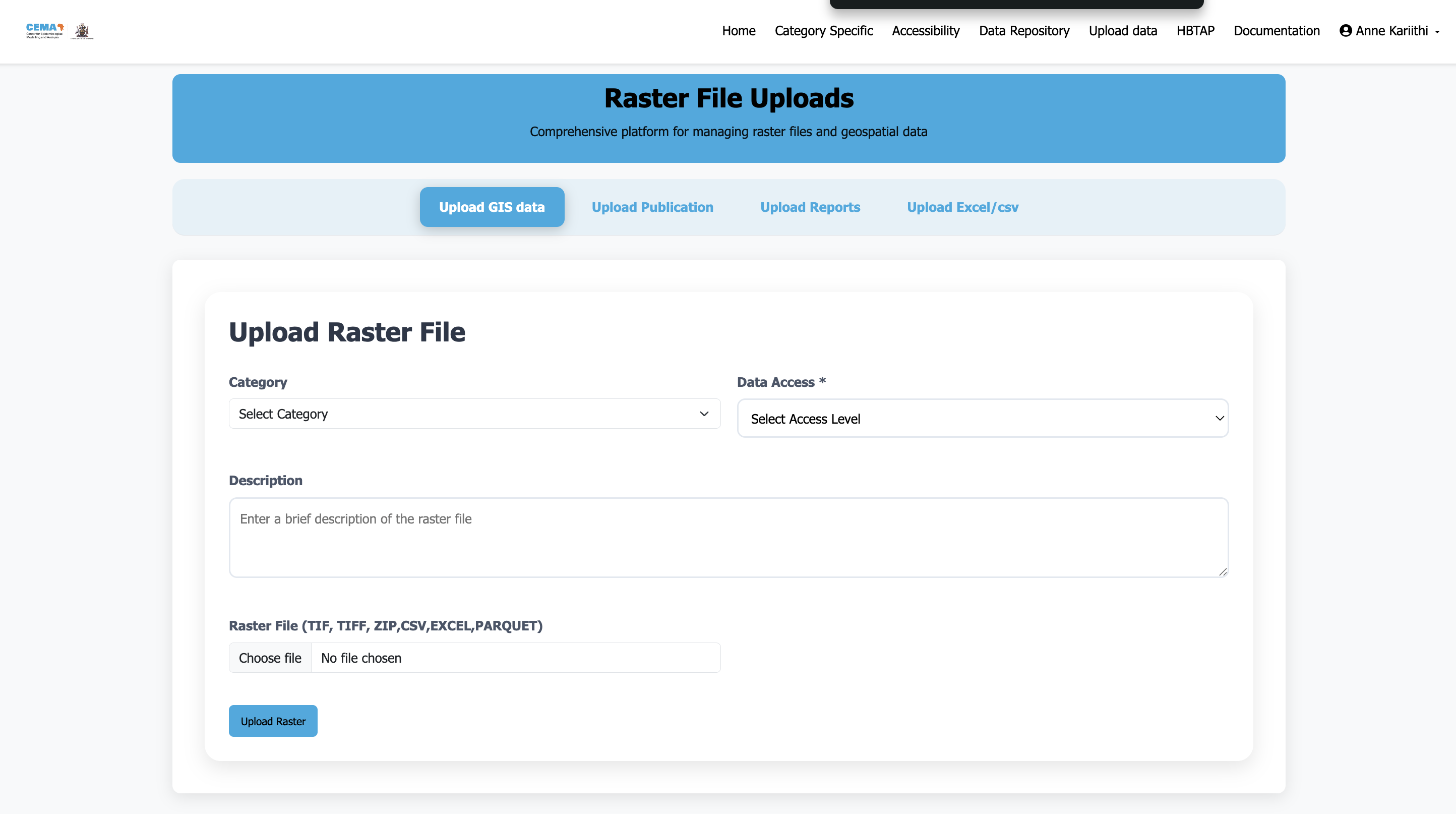
Raster upload page is quite easy and user friendly as shown in the imag ebelow:
Steps:
- Navigate to the rasters upload interface
- Select a category the upload belongs to - For now we have one broad category Geospatial data
Choose appropriate access level:
- Public - Available to all users (recommended for most data)
- Restricted - Requires CEMA account to access. And for people outside CEMA, please contact for support
Then:
- Add a description of the data - Include metadata about resolution, what the data represents, the coordinate system, data units (5 by 5 km etc), the data source and methods used.
- For multi-band rasters, upload as zipped file
- Click upload - This may take a while depending on the size of the raster file being uploaded.
Supported File Formats
| Format | Extension | Best For | Notes |
|---|---|---|---|
| Shapefile | .shp, .dbf, .shx, .prj | Boundaries, points, lines | Most common, upload as zip |
| GeoTIFF | .tif, .tiff | Satellite imagery, grids | Include coordinate info |
| GeoJSON | .geojson | Web mapping | Lightweight, good for sharing |
Need help? Contact or consult the documentation sections for detailed guidance on specific tasks.